
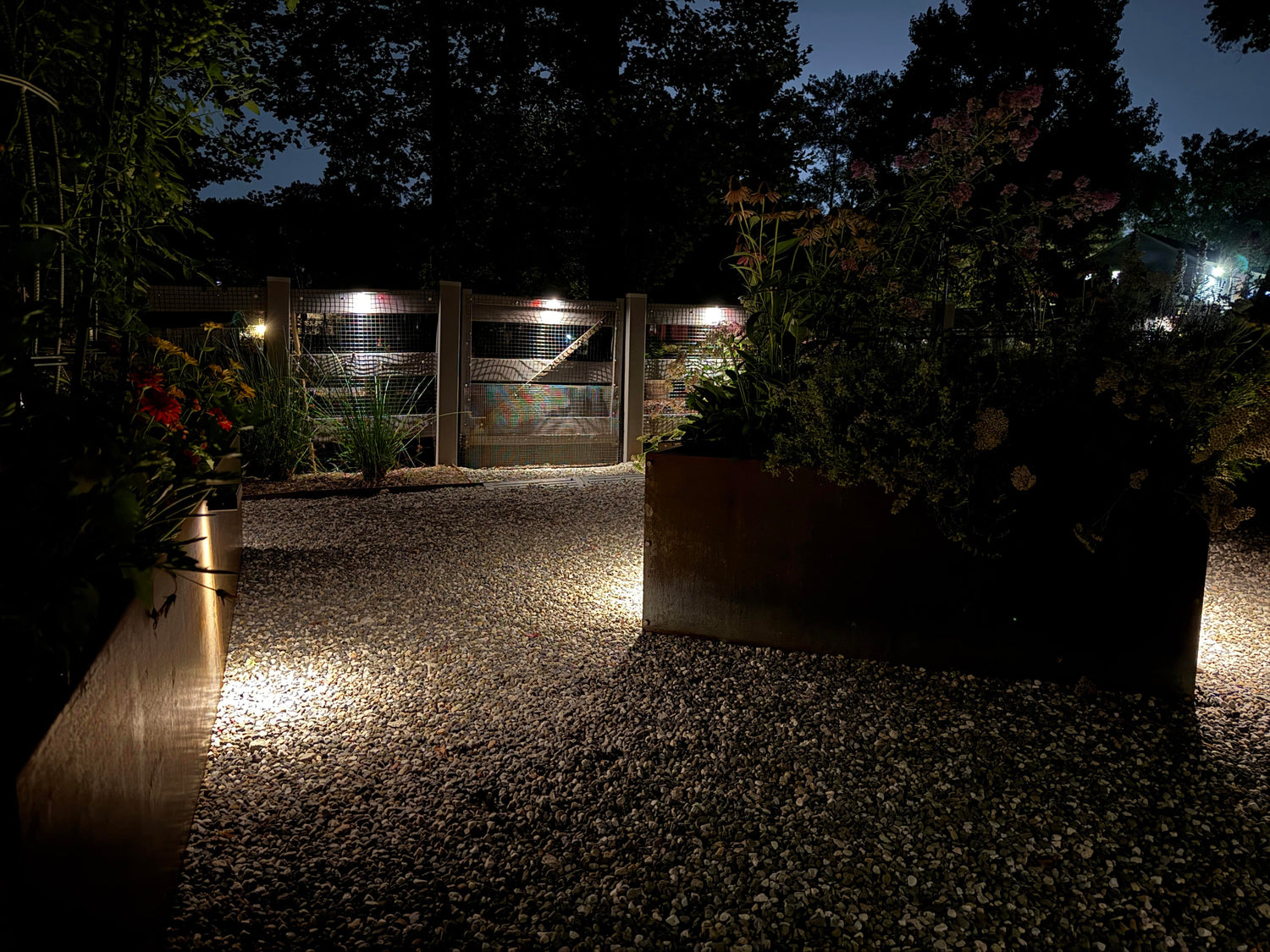
Most HOA boards want better lighting. They do not want trenches across turf, orange cones at the entrance, or a contractor telling them the flower beds need to be “temporarily removed.” That’s why solar is such a good fit for common areas: it brings light where people actually walk, park, or gather—without cutting into irrigation lines or dealing with big-ticket electrical permits.
Solar also keeps projects calm and unobtrusive. With no digging and no wiring, fixtures slip into place without upsetting lawns, irrigation, or schedules—just a cleaner, easier way to add light where people actually live their evenings. The result feels intentional, not industrial. Here’s how to make it happen in your community:
Common-Area Lighting: Paths, Mail Kiosks
Shared walkways and pocket parks benefit most from lighting that is comfortable, even, and neighbor-friendly. The goal is simple: easy footing and quiet wayfinding without turning the greenbelt into a runway. Solar shines here because fixtures are self-contained—no pulling permits for power, no trenching under sidewalks, no patchwork in turf. So easy!
Before you make picks, walk the site at dusk and note how residents actually move about the property day to day. Mail kiosks get quick in-and-out visits. Cut-through paths see strollers and pets. Pocket parks host short sits, not long gatherings. The more you align light levels and controls with real use, the fewer complaints you’ll get later.
- Choose shielded, downward optics. Path markers with asymmetric “forward throw” patterns place light along the walking line, not into lawns or windows. This reduces light trespass and keeps the area calm. SunTino’s solar landscape and path lighting families are designed for low-glare coverage that reads like a soft “glow on the ground,” not a bright dot in the eye.
- Keep color warm (≤3000K). 2700K–3000K looks comfortable, renders wood/stone nicely, and helps avoid harsh camera flare at the clubhouse or kiosk. Warmer light is also more neighbor-friendly along back-lot paths.
- Use “low + motion boost.” A 20–40% baseline for orientation, with a brief bump to full on approach, preserves battery while avoiding the runway look. This works especially well around mail kiosks and dog stations.
- Mind mowers and sprinklers. Pick robust housings (IP65+), UV-stable lenses, and install just outside mower wheels and irrigation arcs. In snow regions, short bollards beat tall stakes.
- Space intelligently. Start with 5–8 ft between markers on curved or uneven paths; increase spacing on straight, uniform walks. Smooth, even pools look safer than bright-dark-bright hotspots.
- Plan for touch-free upkeep. Add “panel wipe” and “lens check” to your grounds crew’s monthly checklist (a microfiber and mild soap is usually enough). Clean panels are free runtime.
Dock Lighting in Shared Communities: Boardwalks, Boat Lifts, Shorelines
Shared waterfronts are where good intent can go wrong fast. You want safe footing, clear wayfinding, and zero skyglow or glare across the water. Solar is ideal for docks and waterfront spaces: no cords near splash zones, no corrosion at power points, and no after-hours electrician calls.
Focus first on edges and changes of direction. People need to see where boards end, posts begin, and cleats are. Then think about controls. Docks are “on-demand” spaces, so gentle baselines with short motion boosts feel right and protect wildlife.
- Aim down and toward land. Use low-profile post or side-mount fixtures with shielded optics that push light to the deck surface, not the water. SunTino’s waterfront post/dock families are built for this: warm color, tight optics, corrosion-resistant housings.
- Pick warm CCT (≤2700–3000K or amber). Warm light keeps reflections soft and reduces visibility across long water distances. If your HOA abuts wildlife habitat, lean warmer/amber by default.
- Mark only what’s needed. Corners, slips, steps, cleats, and lift controls. Avoid “decorative” uplights that broadcast across the lake; the water will carry those far beyond your shoreline.
- Protect from salt, sand, and spray. Look for sealed housings (IP66–67), stainless hardware, and UV-stable lenses. Rinse panels/lenses after storms; add this to dock maintenance rounds.
- Use motion modes after hours. A low baseline until a set curfew, then motion-only until dawn, keeps the water dark and the battery full.
Neighborhood Entrances: Monuments, Signage, Landscaping
Entrance lighting carries two jobs: legibility and pride. The sign should read cleanly from the right distance, the landscape should glow softly, and nothing should shoot light into the sky or drivers’ eyes. Solar simplifies this zone because entrance monuments often sit far from power—no trench under medians required.
Start by standing where a driver will see the sign, then walk the median to find planting masses and stone textures worth a gentle graze. Keep effects restrained. One signature look per entrance is usually perfect.
- Graze the monument, don’t wash it out. A wide, low-mounted flood grazing across stone or textured stucco reveals detail without glare. Adjustable solar floods from SunTino can be aimed at shallow angles to create that “high-end texture” look.
- Light the letters, not the windshield. Aim from below and across the face, keeping any bright source hidden behind plant material or a small capstone.
- Keep color consistent. 2700K for landscape and 3000K for the sign face is a clean combo. If you must pick one, 3000K often helps letters pop while still feeling warm.
- Consider a dim curfew. Full legibility at peak traffic, then step down late. Motion can bring brightness back if someone approaches on foot.
- Use vandal-resistant details. Tamper-resistant fasteners, low profile mounts, and fixtures set slightly back from curb edges survive more seasons.
Gate Lighting: Keypads, Lanes, Cameras
Gates are short-dwell, task-heavy spots. Residents need to see the keypad, the lane stripe, and the bollard or arm. Cameras need faces and plates without flare. Solar is a natural fit! Most gates are remote from power, and you can mount panels for optimal charge away from the moving parts.
Start by viewing from both directions. Where do vehicles queue? Where is the keypad relative to the camera? Then pick a couple of tightly defined jobs and solve those, rather than “lighting the whole gate.”
- Wash the keypad and approach, not the lens. A shielded wall or bollard light mounted just off the camera’s axis keeps faces legible. Warm color (2700–3000K) tames harsh contrast.
- Mark the lane edges. Low, tight optics on bollards or short markers define the drive without shining into windshields.
- Use motion boosts. Baseline low for orientation; bump to full when a car approaches. Keep boosts short (15–30 sec) to avoid an “always on” look.
- Mind the mechanics. Keep fixtures clear of gate arms and posts in motion. Choose robust housings (IK08+ impact resistance) if bollards sit close to traffic.
- Test with the camera. Trigger a boost and review a clip. If faces blow out, lower aim or step brightness down one notch.
Restrictions: Working With ARC/Board
HOAs love easy wins, but they still need a proper paper trail. A clean, complete submission vanishes most objections before they arise. Your mission: show that the lighting will look good, stay uniform, avoid glare, and require almost no disruption to landscaping.
Begin with the documents: CC&Rs, design guidelines, and any landscape standards. Flag sections on exterior lighting, architectural changes, fixtures/finishes, and dark-sky/curfew language. Then build a brief, visual-first packet. Here’s what to consider:
- Include product sheets. CCT (aim ≤3000K), distribution diagrams (downlight or shielded), IP/impact ratings, and finish color that matches existing hardware. For SunTino picks, print or link the specific product pages so committee members can verify details.
- Add a simple site map. Mark each fixture location with a label (A, B, C…), note mounting method (stake, post, wall), and add a one-line goal (“A: path comfort,” “B: sign legibility,” “C: dock edge”).
- Show a photo simulation (light touch). Even phone mockups help: circle the intended surface and draw an arrow for beam direction.
- State controls and curfew. “Dusk-to-midnight at low, motion boost on approach; motion-only after midnight” is the kind of language Boards appreciate.
- Note “no trenching.” Make disruption explicit: “Self-contained solar fixtures; no trenching or electrical runs; minimal soil disturbance.”
- Confirm maintenance plan. One line in the grounds contract: “Monthly panel/lens wipe; post-storm rinse at docks.” Boards like evidence of care.
- Call out compliance. “Downward, shielded optics; warm CCT; no uplight; beams aimed below horizontal.” This aligns with most community lighting policies.
Safety and Insurance Improvements
Boards often ask: will this actually improve safety, or just add glow? The answer depends on placement, glare control, and consistency, not sheer brightness. Insurers and risk managers like to see trip hazards illuminated, transitions marked, and cameras getting clean footage.
Start with the basics: where people step, turn, unlock, and queue. Light those tasks first, then stop. A little, well-aimed light beats a lot of scattered light.
- Trip-hazard clarity. Mark stair nosings, curb cuts, and grade changes with low, shielded fixtures. Even 50–100 lumens aimed well makes steps obvious.
- Even path rhythm. Gentle pools every 5–8 ft feel safe; bright-dark-bright patterns don’t. Adjust spacing rather than cranking output.
- Camera legibility. Off-axis, warm light keeps faces readable and avoids washout. A short motion boost gives the camera detail when it matters.
- Consistent color. Keep a “house color” (2700K or 3000K) across common areas. Mixed colors look chaotic and can increase complaints.
- After-hours calm. Motion-only after curfew preserves battery, keeps wildlife comfortable, and can reduce nuisance reports.
- Document the routine. Adding two lines to your grounds SOP—panel/lens cleaning and post-storm checks—shows foresight if an incident is reviewed.
Solar in an HOA? From Idea to Installed
The fastest, least-painful projects start small, prove value, and scale. Solar helps because you can pilot without infrastructure work, then expand with the same look and optics across the neighborhood.
Start with a pilot zone (one path, one entrance sign, or one dock). Pick warm color, shielded optics, and “low plus motion boost.” Run it for two weeks, take photos, and gather three resident comments. If the Board likes it, repeat the pattern in the next zone, with the same family, same finish, same control logic.
- Week 1: Walk & mark. Photograph at dusk; label trip points and target surfaces. Note sun exposure for panel placement.
- Week 2: Submit packet. This can consist of a one-page cover, product sheets, simple map, and control notes. Emphasize “no trenching,” and warm, shielded light.
- Install day: Keep it tidy. Stake or mount, aim below horizontal, test motion boost. Snap “after” photos from the sidewalk and the path centerline.
- 30-day check. Wipe panels, verify runtime to dawn, trim brightness if cameras show flare, and confirm neighbors aren’t seeing any bright dots.
- Scale. You should reuse the same family and settings in adjacent zones for a cohesive look.
Reliability Notes for Solar: Controls, Runtime, and Upkeep
Solar lives or dies on charge and spend. Panels need sky, batteries need time, and controls decide how quickly you burn through the tank. The good news: with warm optics, shielded beams, and motion-based boosts, most communities get through winter nights comfortably.
Start conservative and adjust once you’ve observed a week of nights. If fixtures always make it to dawn, nudge baseline up one step. If they fade early on cloudy runs, shorten boost time or move to motion-only after curfew.
- Charging reality. Panels want clear sky. Mount away from evergreen shade and under eaves. A slight tilt can reclaim charging hours in winter.
- Controls matter. “Low + motion” stretches nights more than any other setting. Dusk-to-dawn at 100% drains fast, especially in winter.
- Clean panels are a must. Pollen, dust, and salt spray reduce charge. A two-minute wipe in the monthly route pays back every evening.
- Pick the right rating. IP65+ for rain; IP66–67 for splash zones; IK08+ where mowers, carts, or strollers may bump.
- Keep spares smartly. One or two spare fixtures per family minimize downtime. Swap and go; repair on the bench if needed.
Frequently Asked Board Questions, and Answers You Can Provide
Boards hear the same concerns, so it helps to address them upfront with plain language. Here are some common scenarios you may encounter:
- “Will these lights bother neighbors?” Not if you choose warm color, shielded optics, and aim below horizontal. We also recommend a low baseline with short motion boosts and a late-night curfew.
- “What about wildlife near our pond?” Use warm (or amber) and tight optics, aim away from water, and rely on motion-only after hours. Light what people touch, like edges, steps, and controls. Everything else stays dark.
- “Do we need permits?” Self-contained solar fixtures typically avoid the electrical scope that triggers permits. Always follow local rules and your HOA’s ARC process; if in doubt, ask the management company to verify.
- “How much maintenance is this?” Add panel/lens wiping to the monthly landscape list and a quick runtime check after storms. That’s usually it.
- “Will all fixtures match?” Yes! Choose one finish and a “house” color temperature (2700K or 3000K). Sticking with a single product family for paths or docks keeps things uniform.
Easy Wins, No Trenches: Explore Solar for Your Community
HOAs love improvements that look great, reduce risk, and don’t tear up the landscaping. Self-contained solar fixtures check every box: warm, comfortable light on the surfaces people use; simple, no-dig installs; and controls that match real life—low baseline for orientation, brief motion boosts on approach, and calm nights after curfew. Build a tidy ARC packet, start with a pilot zone, and, if those things go well, keep the look consistent as you expand.
Walk the site at dusk, note where feet fall and signs need to read, and choose warm, shielded fixtures aimed below the horizon. When it’s time to browse, map each zone to a SunTino solar outdoor lighting family—paths and gardens, walls and steps, adjustable spots and floods, docks and posts—and pick the finish and control mode that fits your community. Small, thoughtful steps make big, visible wins—and nobody had to do any digging.